> ## Documentation Index
> Fetch the complete documentation index at: https://dev.ownright.com/llms.txt
> Use this file to discover all available pages before exploring further.
# Engagements
> The foundational object representing a real estate legal file in the Lender API
An **engagement** is the core object in the Lender API. It represents a real estate legal file
that Ownright manages on behalf of your lending organization. When you submit a new file through
the API, you're creating an engagement that our legal team will open, work on, and close.
## Types of engagements
The Lender API supports two types of engagements, each corresponding to a different kind of
real estate transaction:
-
**Purchase** — A transaction where your borrower is purchasing a property.
Created using the `purchase` field on `EngagementCreateInput`.
-
**Refinance** — A transaction where your borrower is refinancing an existing
mortgage on their property. Created using the `refinance` field on
`EngagementCreateInput`.
Both types share a common set of fields through the `Engagement` interface (such as `id`,
`clients`, `owner`, and `type`), but each has its own status model and type-specific fields
like `property` and `closingDate`.
## Engagement lifecycle
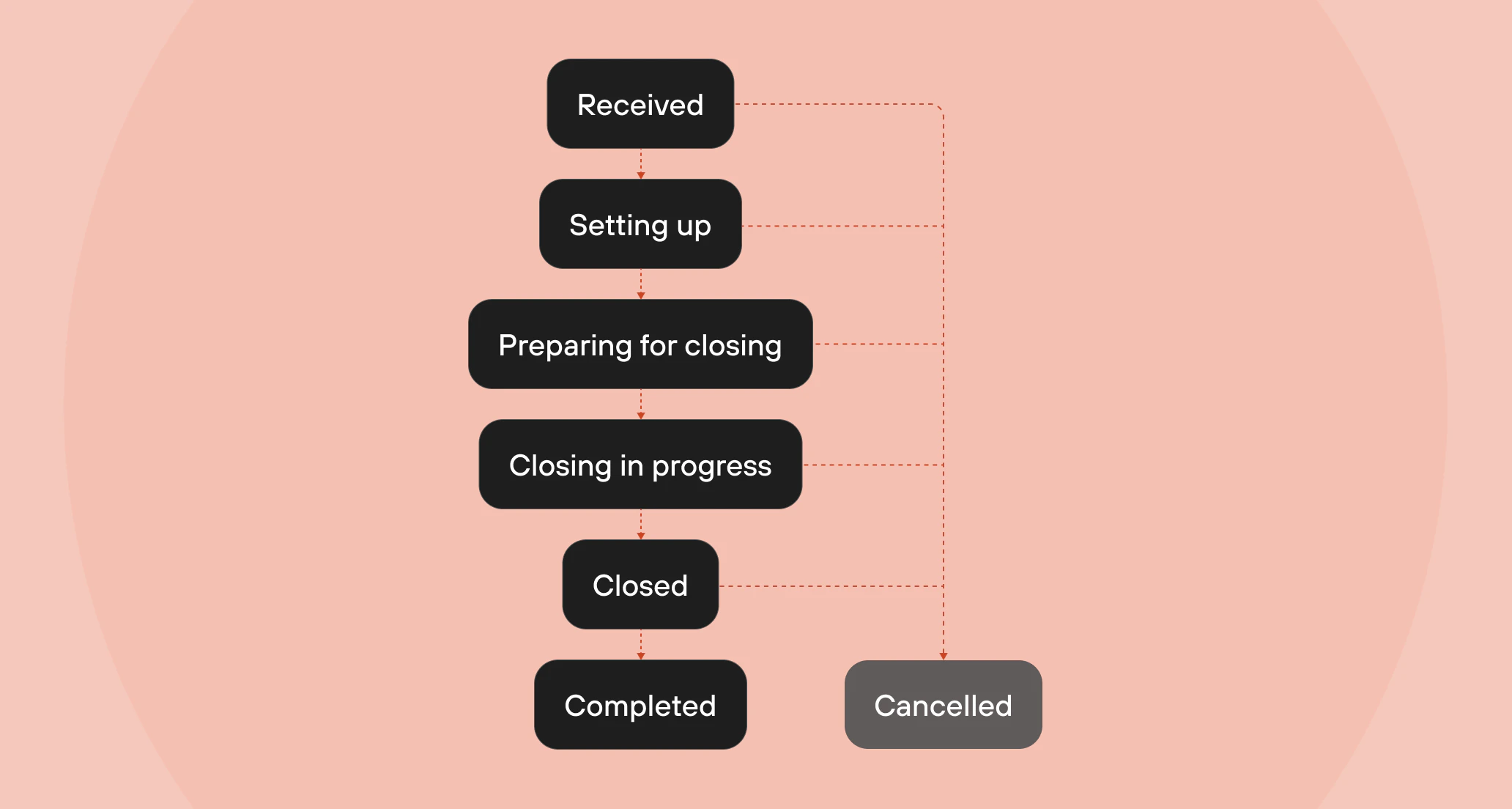
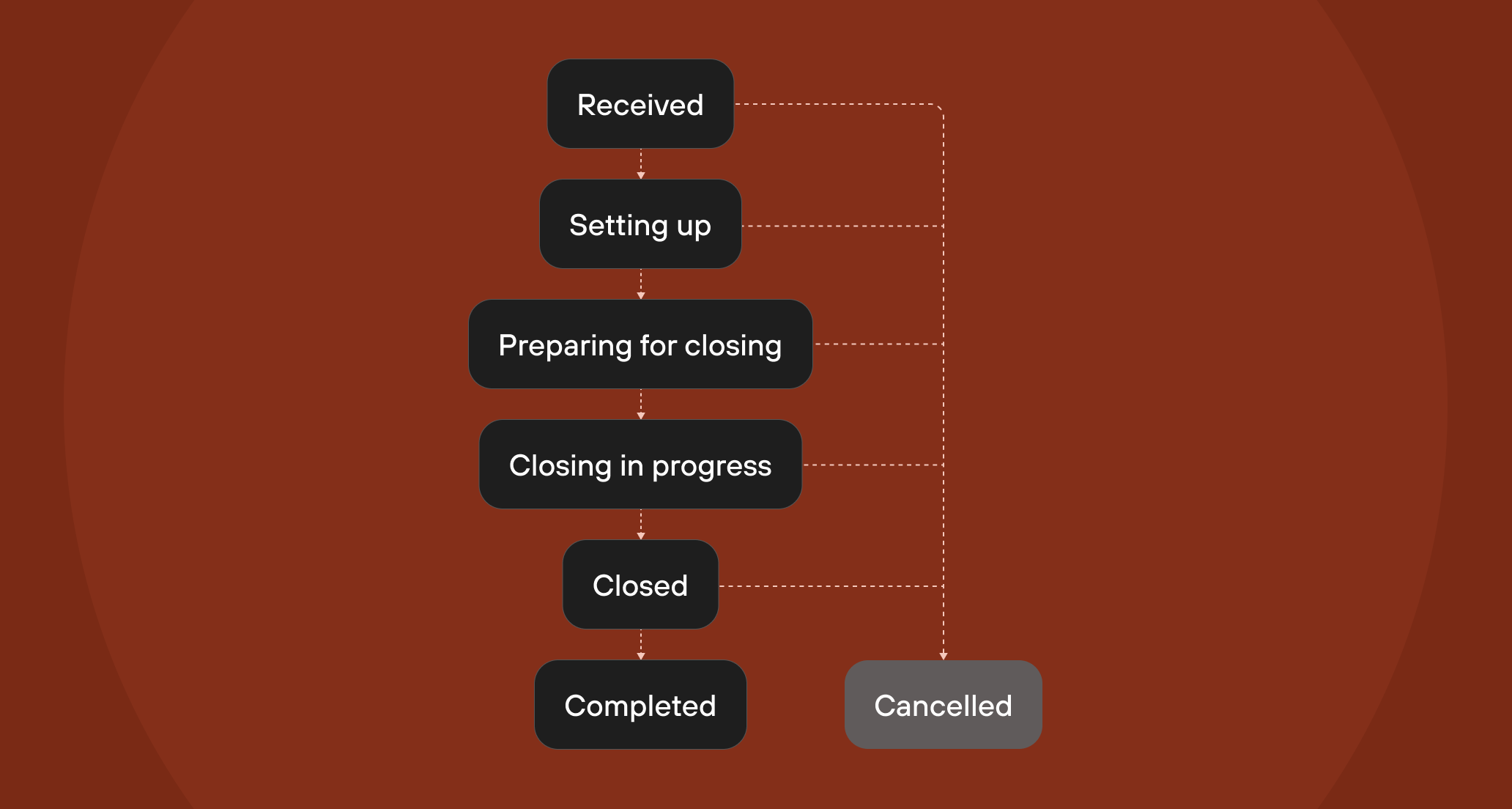
Every engagement follows a predictable lifecycle from the moment it's received to when
the transaction is fully closed (or cancelled). The diagram below illustrates the typical
progression:
 ### Engagement states
Both purchase and refinance engagements share the same set of states:
### Engagement states
Both purchase and refinance engagements share the same set of states:
-
**Received** — Ownright has received engagement details and is actively
reviewing the information.
-
**Setting up** — Ownright is actively setting up the engagement to begin
closing preparation.
-
**In progress** — The engagement is actively being worked on by the Ownright
legal team.
-
**Preparing for closing** — The engagement is being prepared for closing
day. Documents are being reviewed, title work is underway, and the legal
team is coordinating with all parties.
-
**Closing in progress** — Final closing actions are in motion and the deal
is set to close today.
- **Closed** — The engagement has been successfully funded and closed.
-
**Complete** — All post-closing tasks have been finalized and the engagement
is fully complete.
-
**Cancelled** — The engagement has been cancelled and is no longer being
worked on. This can happen at any point in the lifecycle.
The `status` field on `PurchaseEngagement` and `RefinanceEngagement` is an
interface (`PurchaseEngagementStatus` / `RefinanceEngagementStatus`) that
contains a `state` enum. Use inline fragments to access the state — see the
[Fetching engagement details](/lender-api/guides/fetching-engagement-details)
guide for examples.
## Key related objects
Each engagement is associated with several important objects:
* **EngagementClient** — The borrower(s) on the engagement. Each client has a `firstName`,
`lastName`, `email`, and optional `middleName` and `phoneNumber`.
* **Property** — The real estate property involved in the transaction. Contains an `Address`
with the full street address, city, province, and postal code.
* **TeamMember** — The person within your lending organization who owns the engagement.
The `owner` field on an engagement displays this team member's name. See the
[Lender and team members](/lender-api/core-concepts/lender-and-team-members) core concept
for more details.
## Next steps
Now that you understand engagements, you're ready to start working with them:
Learn about your organization and team member objects.
Learn how to submit a new file to Ownright through the API.
Filter, sort, and paginate through your engagements.
Retrieve detailed information about a specific engagement.
Understand the staged file upload flow for attaching documents.