

Types of engagements
The Lender API supports two types of engagements, each corresponding to a different kind of real estate transaction:- Purchase — A transaction where your borrower is purchasing a property.
Created using the
purchasefield onEngagementCreateInput. - Refinance — A transaction where your borrower is refinancing an existing
mortgage on their property. Created using the
refinancefield onEngagementCreateInput.
Engagement interface (such as id,
clients, owner, and type), but each has its own status model and type-specific fields
like property and closingDate.
Engagement lifecycle
Every engagement follows a predictable lifecycle from the moment it’s received to when the transaction is fully closed (or cancelled). The diagram below illustrates the typical progression: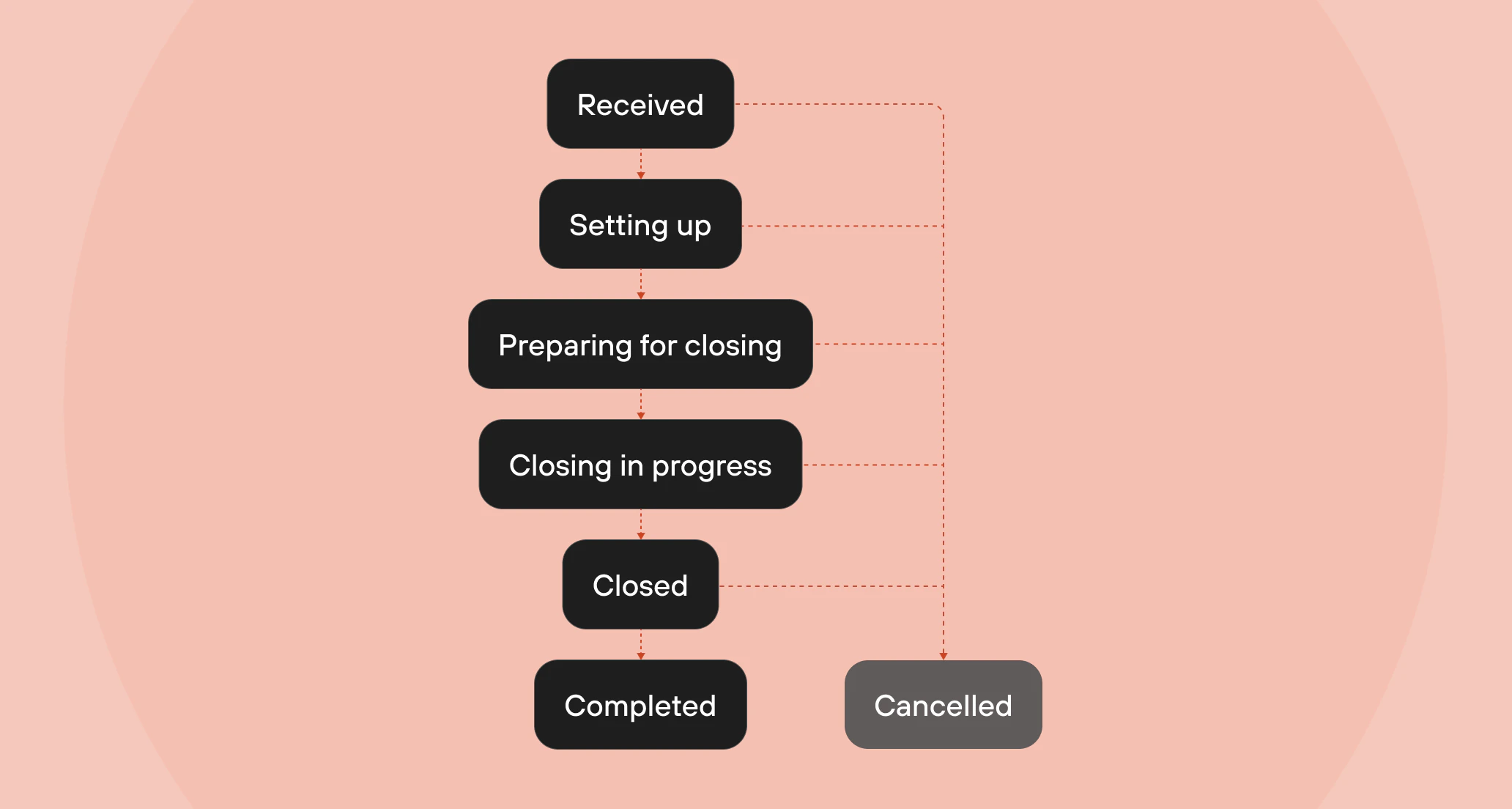
Engagement states
Both purchase and refinance engagements share the same set of states:- Received — Ownright has received engagement details and is actively reviewing the information.
- Setting up — Ownright is actively setting up the engagement to begin closing preparation.
- In progress — The engagement is actively being worked on by the Ownright legal team.
- Preparing for closing — The engagement is being prepared for closing day. Documents are being reviewed, title work is underway, and the legal team is coordinating with all parties.
- Closing in progress — Final closing actions are in motion and the deal is set to close today.
- Closed — The engagement has been successfully funded and closed.
- Complete — All post-closing tasks have been finalized and the engagement is fully complete.
- Cancelled — The engagement has been cancelled and is no longer being worked on. This can happen at any point in the lifecycle.
The
status field on PurchaseEngagement and RefinanceEngagement is an
interface (PurchaseEngagementStatus / RefinanceEngagementStatus) that
contains a state enum. Use inline fragments to access the state — see the
Fetching engagement details
guide for examples.Key related objects
Each engagement is associated with several important objects:- EngagementClient — The borrower(s) on the engagement. Each client has a
firstName,lastName,email, and optionalmiddleNameandphoneNumber. - Property — The real estate property involved in the transaction. Contains an
Addresswith the full street address, city, province, and postal code. - TeamMember — The person within your lending organization who owns the engagement.
The
ownerfield on an engagement displays this team member’s name. See the Lender and team members core concept for more details.
Next steps
Now that you understand engagements, you’re ready to start working with them:Lender and team members
Learn about your organization and team member objects.
Creating an engagement
Learn how to submit a new file to Ownright through the API.
Searching engagements
Filter, sort, and paginate through your engagements.
Fetching engagement details
Retrieve detailed information about a specific engagement.
File uploads
Understand the staged file upload flow for attaching documents.